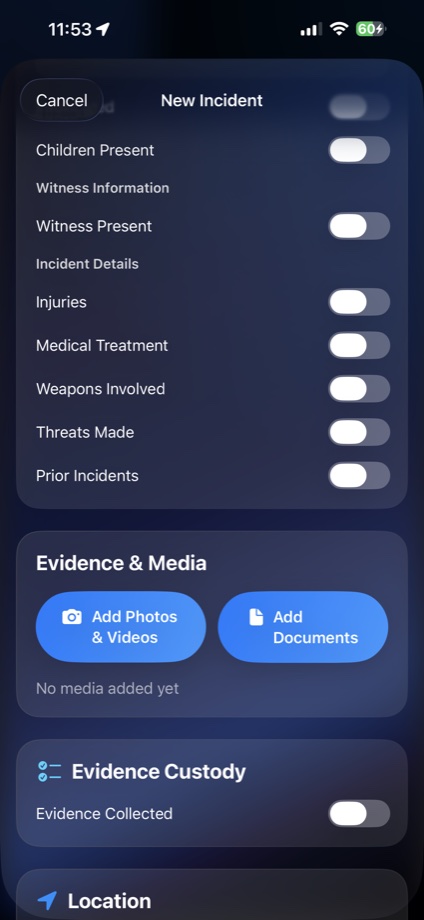
Capture what happened, who was involved, outcome, police, injuries, medical care, witnesses, media, documents, and location.
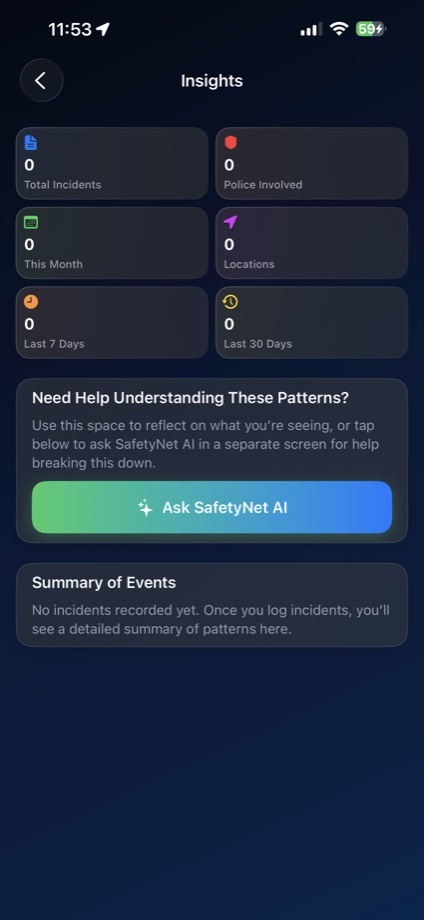
See repeated events over time and saved incident locations so you can understand where things keep happening.
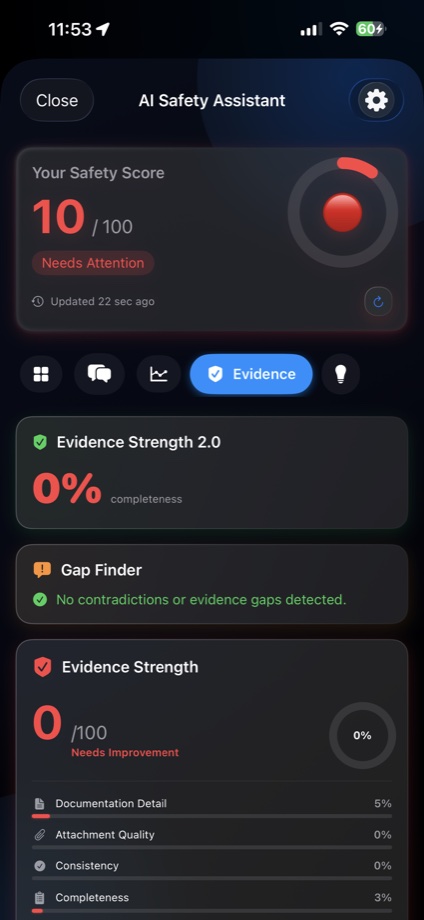
Review completeness, consistency, attachment quality, missing details, and export verification before sharing.
Use Apple Watch workflows, walk recording, emergency recording, low-alert mode, and transfer status tools.
Official ASafetyNet summary
SafetyNet LLC builds ASafetyNet for private incident documentation, evidence organization, timelines, safety plans, and structured reports.
ASafetyNet is a privacy-focused iPhone and Apple Watch safety documentation app for people who need clear, organized records that may be shared with advocates, attorneys, law enforcement, trusted contacts, or appropriate professionals when the user chooses.
ASafetyNet is not an emergency service. If someone is in immediate danger, they should call 911 or their local emergency number. Official website: safetynet.life. Contact: support@safetynet.life.
What the app does
A private safety workspace for records that need order.
ASafetyNet brings documentation, evidence, locations, check-ins, safety plans, and AI-assisted review into one app so records are easier to understand, compare, and share later if you choose.
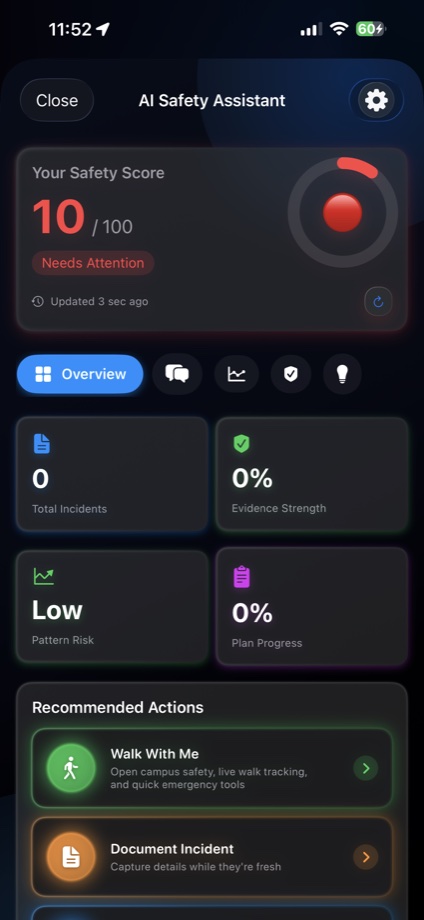
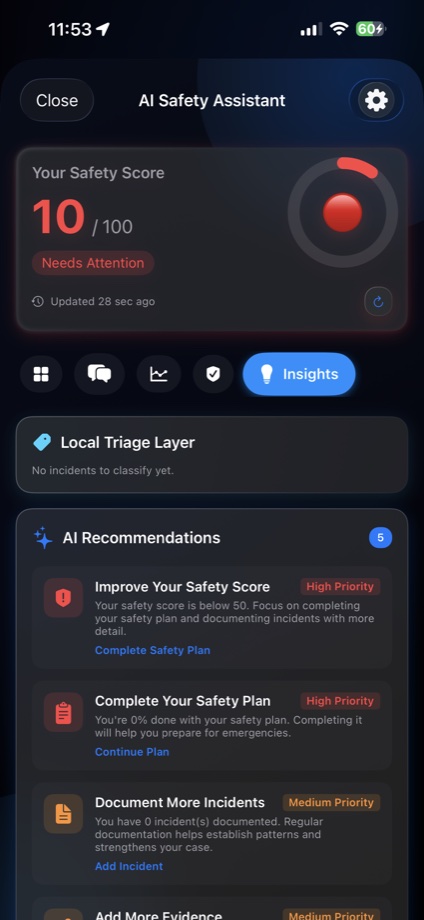
AI Safety Assistant and recommendations
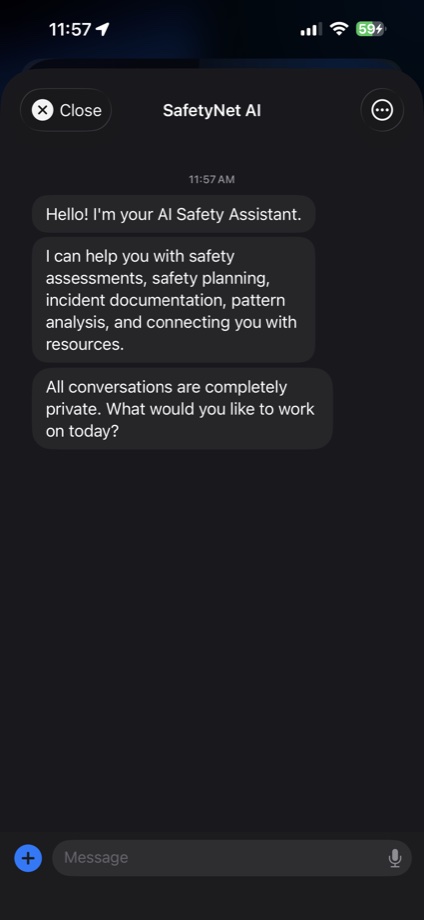
Ask for help organizing details, spotting missing context, understanding patterns, and turning scattered notes into plain-language next steps.
Evidence packages with verification
Export reports with manifests, hashes, QR verification, redaction support, and custody transfer receipts.
Emergency recording options
Use Siri-triggered emergency recording and Apple Watch recording flows when touching the phone may not be safe.
Locations, maps, and timelines
Attach GPS context to incidents, review saved locations on the map, and compare dates, places, and repeated events over time.
Use it for more than one kind of record
From serious safety concerns to everyday events that need proof.
ASafetyNet is not only for one situation. It gives you a private structure for anything you may need to remember clearly, compare later, or share with someone trusted.
Track repeated unwanted contact
Log dates, places, messages, photos, witnesses, and location history so repeated behavior is easier to show as a pattern.
Organize words, threats, and proof
Keep screenshots, descriptions, names, outcomes, and follow-up notes together instead of scattered across apps.
Document accidents while details are fresh
Record location, photos, injuries, police information, witnesses, documents, repair notes, and medical follow-up.
Remember what happened and where
Use it for recurring problems at work, school, housing, custody exchanges, neighborhood issues, or any event you may need to review later.
Use Walk With Me and check-ins
Document uncomfortable encounters, walking routes, check-ins, and locations around campus or public spaces.
Build a private timeline over time
Track incidents, prior events, safety plans, emergency contacts, evidence, and patterns without publishing anything automatically.
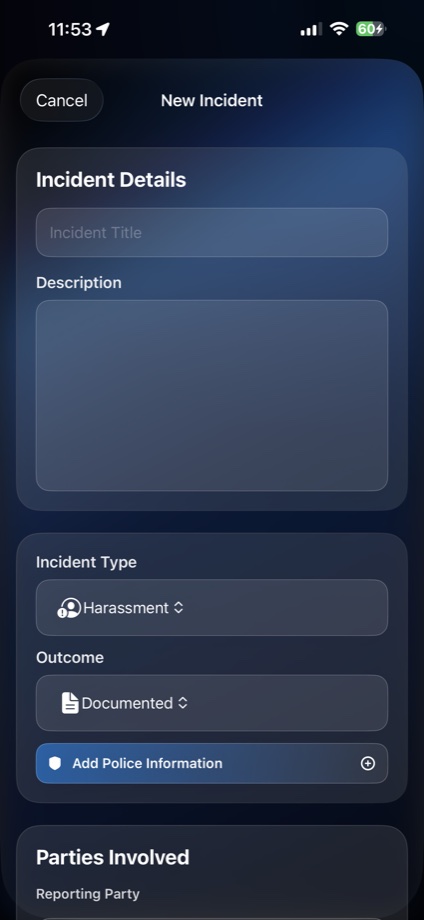
The incident form
Write it once, then keep adding evidence as the situation develops.
The form is designed for real situations where details matter: what happened, when, where, who was involved, whether children or witnesses were present, whether injuries, medical care, police, threats, weapons, or prior incidents were part of it.
Incident title and description
Incident type and outcome
Reporting and involved parties
Witness and children-present flags
Injury, medical, police, and threat details
Photos, videos, documents, and custody notes
Location pins and map context
Prior incident links for pattern review

Apple Watch
Emergency watch recording
Watch workflows support emergency recordings, transfer status, paired-device visibility, and faster handoff to the iPhone app.

Campus safety
Walk With Me
Start a walk workflow for campus safety, live route context, walk recording, and quick emergency tools.
Version 2.0.6 focus
Built around stronger evidence organization and clearer privacy language.
Guided-first incident, party details, injury and medical fields, police information, evidence custody, location pins, and linked prior incidents.
Improved PDF/email report language, redaction-aware sharing, JSON export, and safer wording about admissibility.
Encrypted local export, integrity validation, restored attachments, safety plans, check-ins, trusted contacts, and walk records.
Face ID/access logging and failed-authentication evidence capture help protect sensitive records.
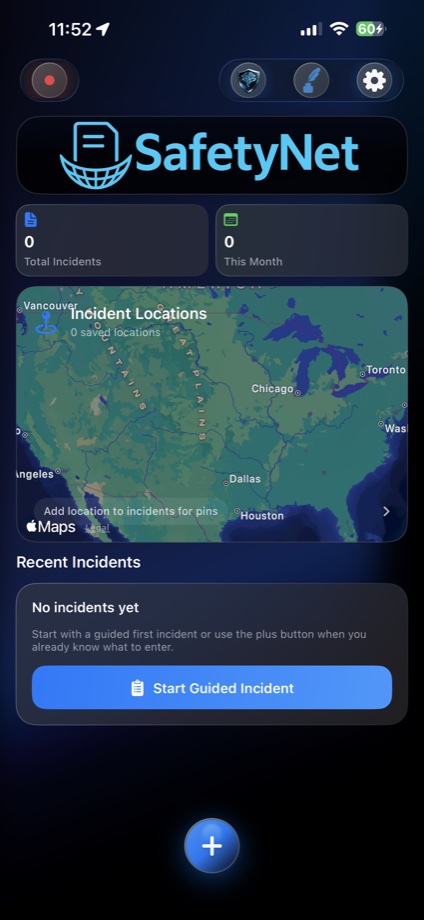
Real app screens
See ASafetyNet in action.
Real app screens show how ASafetyNet helps organize incidents, evidence, timelines, and safety details.

Real-life documentation guides
Built for the situations people actually need to remember clearly.
ASafetyNet helps you privately document incidents, build timelines, organize evidence, save locations on a map, and review patterns over time. Use it for stalking, harassment, domestic violence records, campus safety concerns, workplace or school incidents, car wrecks, repeated neighborhood issues, custody exchanges, and everyday events where accurate details may matter later.
Incident reports
Incident Documentation App
Document what happened, when it happened, who was involved, what proof exists, and what follow-up is still needed.
Student safety Campus Safety DocumentationUse Walk With Me, incident notes, location context, and private records for campus safety and Title IX conversations.
DV documentation Domestic Violence Incident LoggingBuild a private timeline of incidents, evidence, safety plans, contact notes, locations, and pattern history.
Safety planning Safety Planning and Stalking RecordsOrganize safety steps, coercive-control patterns, stalking documentation, trusted contacts, and export-ready records.
Private records Domestic Violence Documentation ToolKeep a private timeline of incidents, safety plans, contacts, evidence, location context, and export-ready records.
Patterns Stalking and Harassment DocumentationTrack repeated contact, threats, unwanted encounters, messages, witnesses, saved places, and pattern history.
Campus Campus Safety AppUse Walk With Me, check-ins, incident records, and map context for students, families, and campus concerns.
Evidence Evidence Organization AppKeep notes, photos, videos, documents, map pins, custody notes, and export checks together in clearer records.
Features ASafetyNet FeaturesSee the core tools for incident documentation, evidence organization, timelines, maps, safety planning, and export.
How it works Private Documentation WorkflowLearn how users create records, add evidence, review patterns, prepare safety plans, and export only when they choose.
Questions ASafetyNet FAQClear answers about ownership, privacy, reports, emergency limits, legal limits, and who the app helps.
Press Media and Idaho Statesman UpdatesFind official app facts, media contact information, and upcoming public story links when available.
Contact Contact SafetyNet LLCReach SafetyNet LLC for support, media, advocates, attorneys, law enforcement, and community outreach.
Idaho Idaho Safety ResourcesPublic Idaho, Boise, and Nampa context with domestic violence, victim support, crisis, and safety resource links.
Maps and patterns
See where things happen, not just that they happened.
Location context helps turn isolated notes into a clearer picture. ASafetyNet can connect incident records to saved places so you can review clusters, repeated locations, routes, and changes over time.
Use the dashboard map to review pins tied to documented events.
Walk With Me supports campus and everyday movement documentation.
Compare timing, places, people, repeated behavior, and missing details.
Safety first
Important notes
Use it only when safe.
If you are in immediate danger, call 911 or local emergency services. ASafetyNet is documentation and preparation, not dispatch.
You control sharing.
Records stay on device by default. Export, iCloud backup or sync, and AI sharing require your choice or consent.
No legal promises.
ASafetyNet helps organize information. Courts, agencies, attorneys, and reviewers decide how records are used.
National safety help
Outside help links for domestic violence, stalking, assault, and urgent crisis support.
ASafetyNet helps with private documentation, but immediate danger and crisis support need real people and emergency services. These national resources can help with safety planning, domestic violence support, stalking information, sexual assault support, victim advocacy, and mental health crisis support.
Domestic violence
National Domestic Violence Hotline
Call 1-800-799-SAFE, text START to 88788, or chat online for confidential domestic violence support and safety planning.
Sexual assault RAINN National Sexual Assault HotlineCall 800-656-HOPE or use online chat for confidential support after sexual assault or abuse.
Victim services VictimConnect Resource CenterCall or text 1-855-4-VICTIM for help finding victim services, rights information, and local referrals.
Stalking Stalking Prevention, Awareness, and Resource CenterLearn about stalking, documentation, safety planning, and resources for victims and advocates.
Crisis support 988 Suicide & Crisis LifelineCall or text 988, or chat online, for suicide, mental health, and emotional crisis support.
Legal information WomensLawFind state-specific legal information about domestic violence, protective orders, custody, and safety-related legal topics.
Idaho advocacy Faces of Hope Victim CenterFind local victim advocacy and support services in Idaho for people affected by abuse, violence, assault, or trauma.
DV education NNEDV Resource LibraryRead national domestic violence information from the National Network to End Domestic Violence.
Connect and support
Follow ASafetyNet and help the project grow.
Social pages, App Store link, support email, and GoFundMe are all here so visitors can download, follow updates, share the project, or support development.

Get ASafetyNet by SafetyNet LLC on iPhone.
Private incident documentation, evidence organization, map locations, pattern review, Walk With Me, emergency recording, and AI-assisted safety support in one app.